Built for AI agents, operated over MCP
The CRM your AI agent needs to perform its best.
Connect an agent over MCP and it can search contacts, work the call queue, log calls and move deals. It cannot delete records or send email. You get a plain web app to see everything it did.
Get managed hostingOpen source · View on GitHub · Managed hosting $60 AUD/month
# Quick start with Docker
git clone https://github.com/sevasek/agent-crm.git && cd agent-crm
cp .env.example .env
docker compose up --build -d
docker compose exec app python scripts/create_admin.py you@example.com "Your Name"
# then open http://localhost:8000For trying it out. The default compose file is a dev setup; see the README for production deployment.
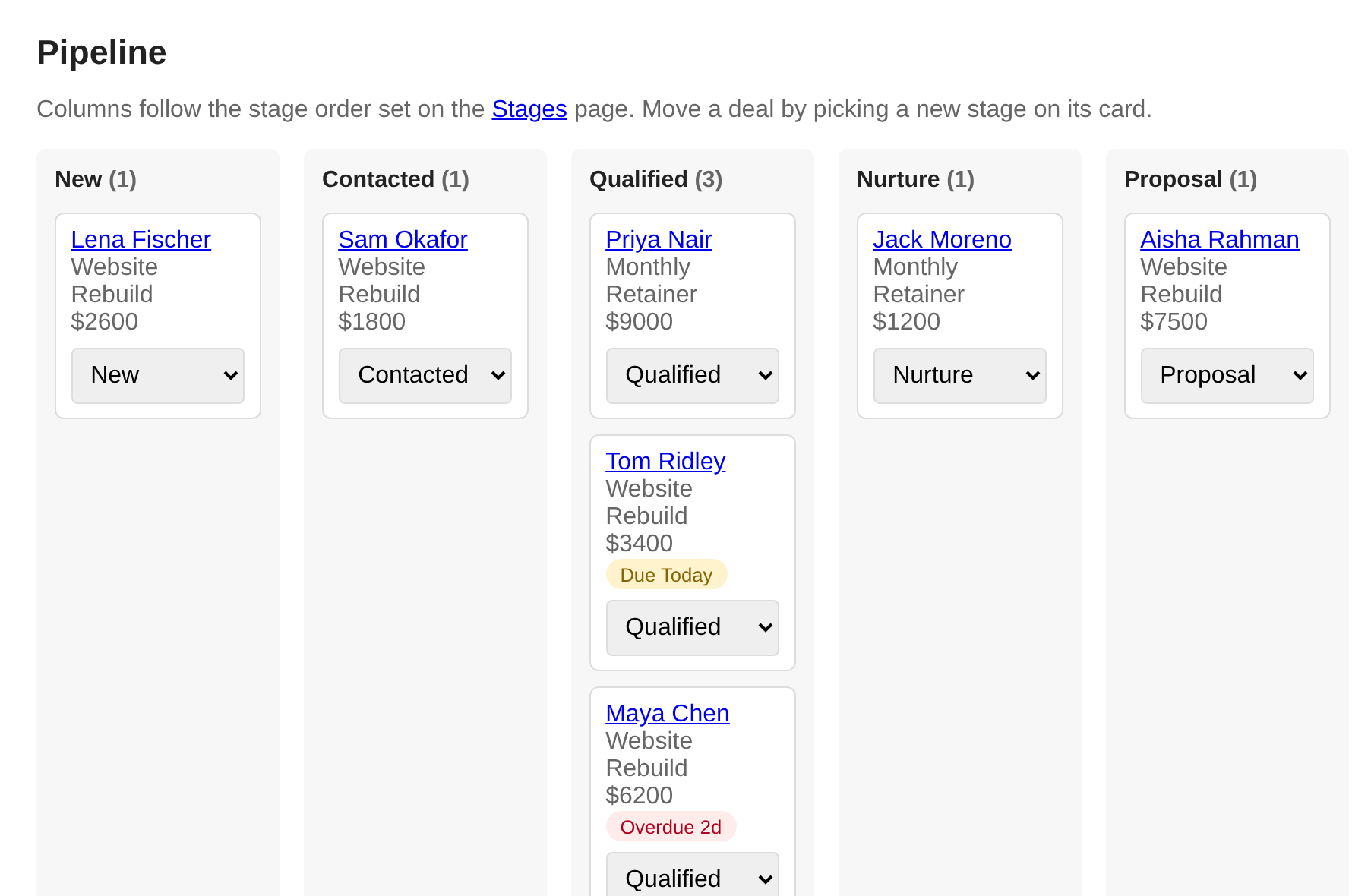
The pipeline board. Screenshot with demo data.
Is it for you
Deliberately small. Say so up front.
Most CRMs are built for sales teams clicking through screens. This one is built for a single operator whose agent does the clicking.
A good fit if
- You want an AI agent to do the CRM busywork.
- You sell through calls, quotes and follow-ups.
- One person, plus your agent, works the pipeline.
- Deals get lost because a follow-up slipped, not because of missing analytics.
- You want to define your own stages, services and offers.
Not a fit if you need
- Several users with roles and permissions.
- Email sent and received inside the CRM.
- Reports and dashboards.
- A native mobile app.
Built for agents
The agent works the pipeline. You keep the controls.
The CRM exposes an MCP endpoint that uses the same data and rules as the web app. There is no separate copy for the agent to drift from.
What an agent can do
- Search and read contacts, companies and deals.
- Get today's call queue and due follow-ups.
- Log calls, notes and call outcomes.
- Create and update contacts and deals, and move stages.
- Ingest leads, with duplicate matching.
- Bulk-update up to 50 deals at once.
- Assign deal owners and create tasks for another agent or a person, with an optional webhook when one is assigned.
- Manage your service and offer catalogue.
What it can't do
- Delete records.
- Send email.
- Reshape the pipeline. That needs a separate key.
- Manage users.
Safe by design
- Tools tell the agent to search before it creates.
- Updates fill empty fields and don't overwrite yours.
- Lead ingest and deal creation are idempotent.
- A separate key per capability, and each fails closed when unset.
It speaks Streamable HTTP MCP. Static Bearer keys work for tools such as xAI remote MCP tools, and OAuth 2.1 with PKCE is supported for hosted connectors like Grok. It's documented for those and for Cursor. Judgement stays with your agent: the CRM's own scores are plain formulas.
What you see
And a web app for the human side.
A pipeline that matches how you sell
Deals sit on a board, one column per stage. You choose the stages, their order and their names. A contact can have more than one deal over time, so repeat work doesn't overwrite history.
Each deal records the source, an estimated value, the customer's pain points and goals, and a next action.
A call list you can explain
The list shows your top ten qualified deals that have a phone number, ranked out of 100. The score comes from four visible things: deal value, lead source, how complete the contact's details are, and how recently the deal was qualified.
It is a fixed formula, not a model guessing. You can see why a deal ranks where it does. Log the outcome with one tap: no answer, interested, meeting scheduled, won, or not interested.
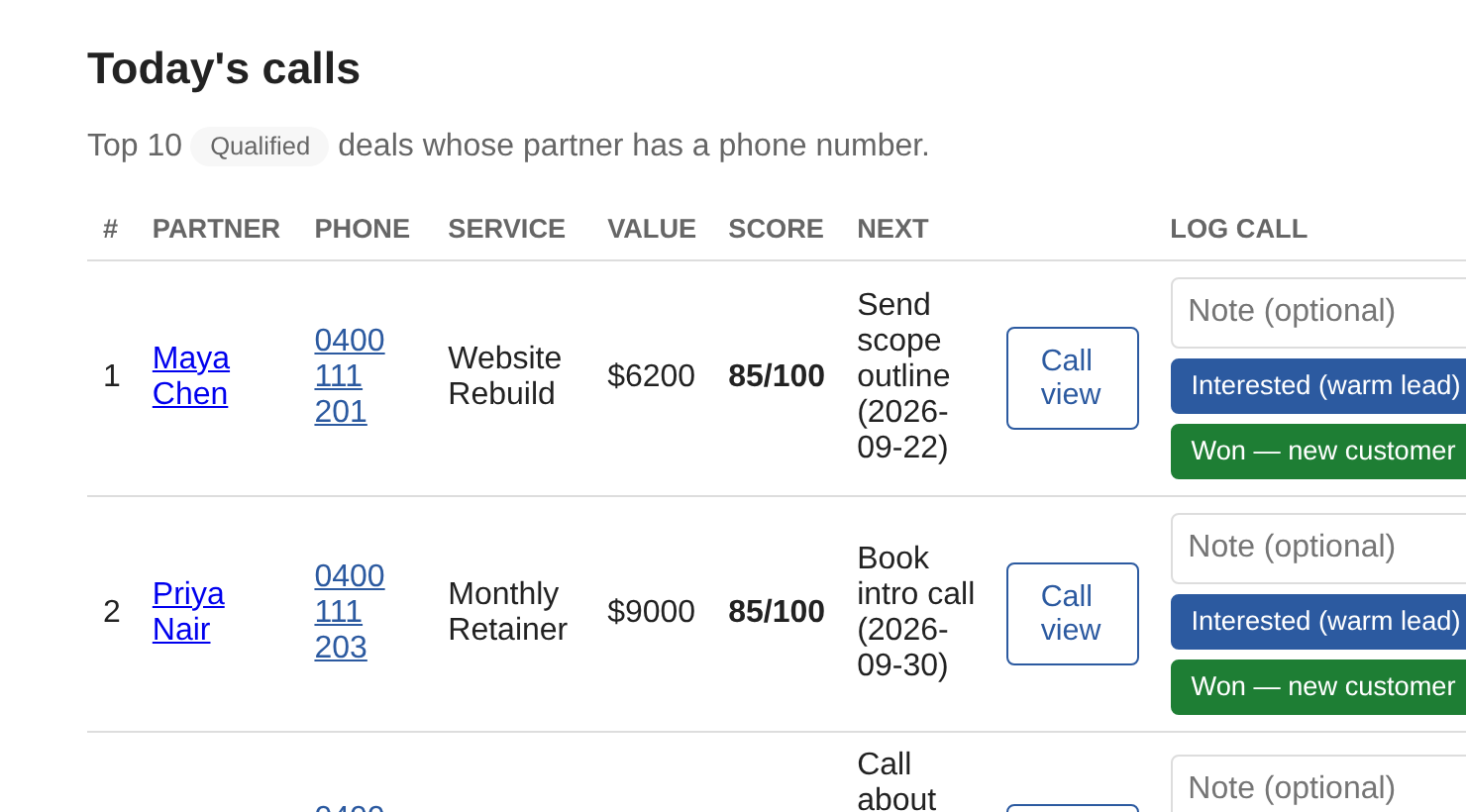
Screenshot with demo data.
A phone-in-hand view
Open a deal on your phone and see only what you need for the call: a large tap-to-call button, the offer you are pitching with its opening line and price, your fit score, and the customer's pain points and goals.
Tapping to call logs the call on the timeline. Afterwards, the same one-tap outcomes are right there.
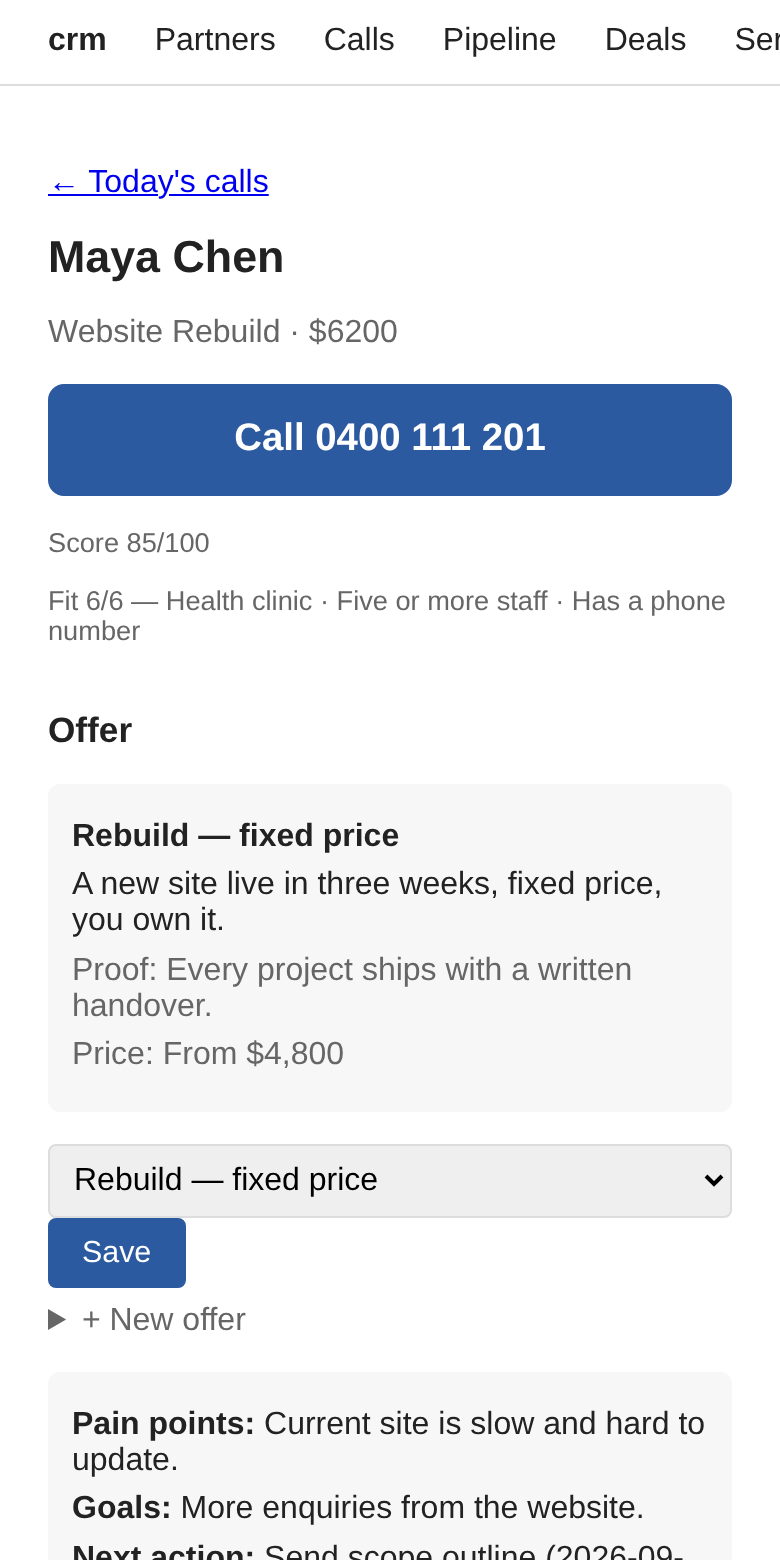
Mobile call view. Demo data.
Follow-ups that don't slip
Give a deal a next action and a date. When it is due, the deal shows a Due Today pill; when it is late, an Overdue pill. The deals list has a Due filter, and closed deals never nag.
A daily check at 08:00 in your timezone records each due follow-up on the contact's timeline, so there is a written trace of what you meant to do.
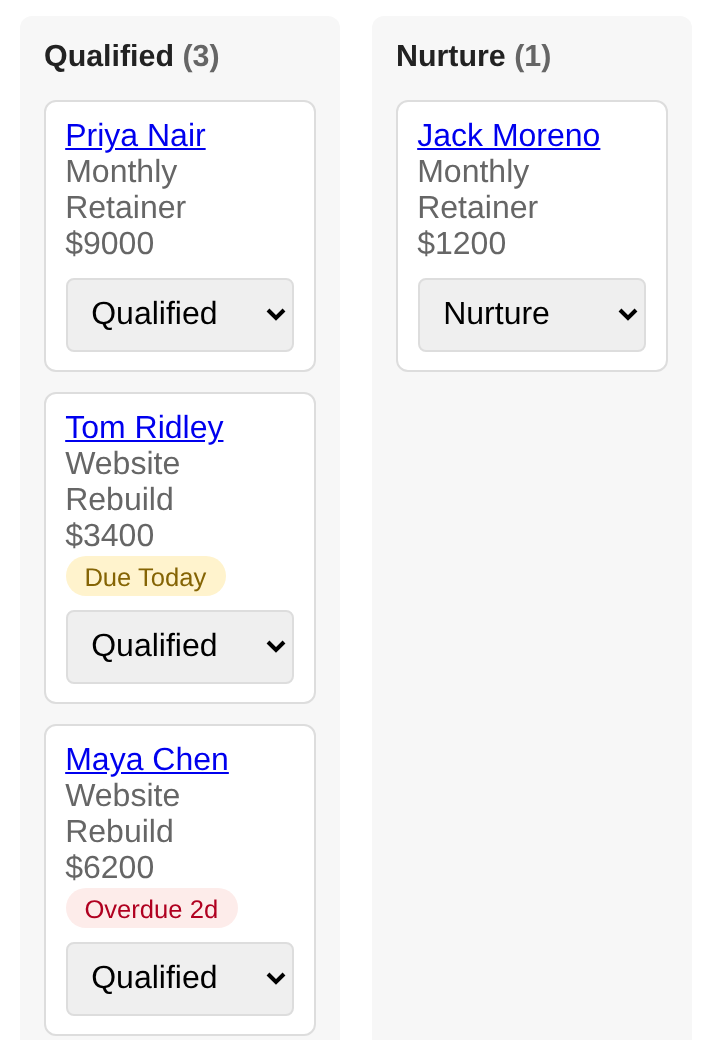
Due and overdue pills. Demo data.
Also included
The rest of the kit.
Companies and people
One list for both. People link to their company. Fields include email, phone, website, role, address, industry, team size, preferred channel and social profiles.
A timeline per contact
Calls, emails, meetings and notes in date order. Stage changes and automated events are marked as system entries, so you can tell what you did from what the app did.
Services and offers
List what you sell. Attach an offer with a one-line pitch, a proof point and a price anchor, and switch offers on a deal in one click.
Fit scoring you write
Add your own rules, such as "industry contains clinic: 3 points" or "five or more staff: 2 points". The fit score is the sum of the rules that match.
Bring leads in
Post leads from another tool over an API, or run a command-line import. Duplicates are matched, and existing details you edited are not overwritten.
Basic security
Login with session cookies that expire, CSRF protection, rate-limited login and API, and API keys that stay off until you set them.
Common questions
Before you ask
Does it send or receive email?
No. You log emails, calls, meetings and notes on a contact's timeline yourself. It doesn't connect to your inbox.
Can my team log in with different permissions?
No. It is built for one operator and has no roles or permission levels.
Does the CRM do its own AI scoring?
Not built in. Scores are fixed formulas with visible weights. The intelligence comes from your agent, which works the pipeline through the MCP endpoint above.
Does it have reports and dashboards?
No. You get a pipeline board and a deals list you can filter by stage or by due follow-ups.
Is there a mobile app?
No native app. It is a responsive web app, and the call view is designed for a phone browser.
Is it open source?
Yes. The source is on GitHub and is updated regularly.
Can you run it for me?
Yes. Managed hosting is $60 AUD per month and includes secure hosting, backups, 99.9% uptime, new features deployed frequently, and responsive support for feature requests. Email me to get set up. Running it yourself is free.
Next step
Managed hosting is $60 a month.
Priced in AUD. Here is what it includes.
- Secure hosting
- Backups
- 99.9% uptime
- New features deployed frequently
- Responsive support for feature requests
Send a few lines: what you sell, how you track leads now, and roughly how many deals are open. I'll tell you honestly whether this fits.
Get managed hostingPrefer to run it yourself? Get the source on GitHub.
paul@sevasek.com · Built by a sole operator in Sydney